 Snugnote
Voice notes: speak instead of typing
Some thoughts come faster than you can type them. Now you can click the microphone on any empty line, say what's on your mind, and Snugnote writes it down for you, right where your cursor was.
1. Find the 🎤 on an empty line
Click on any empty line in a page. A small 🎤 appears where the text starts. Click it to start a voice note.
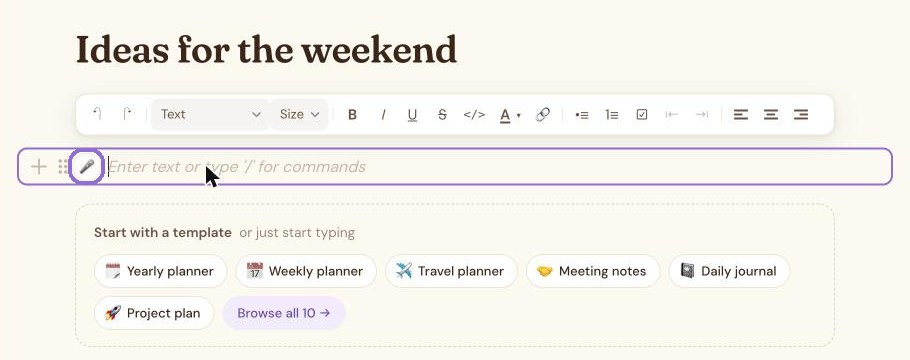
You can also press ⌘ K (Ctrl K on Windows) and choose Voice note.
2. Say what you want to write
The first time, your browser asks whether Snugnote can use your microphone. Choose Allow. A Listening… bar appears at the bottom of the screen with a timer and a little level meter, so you can see the microphone hears you.
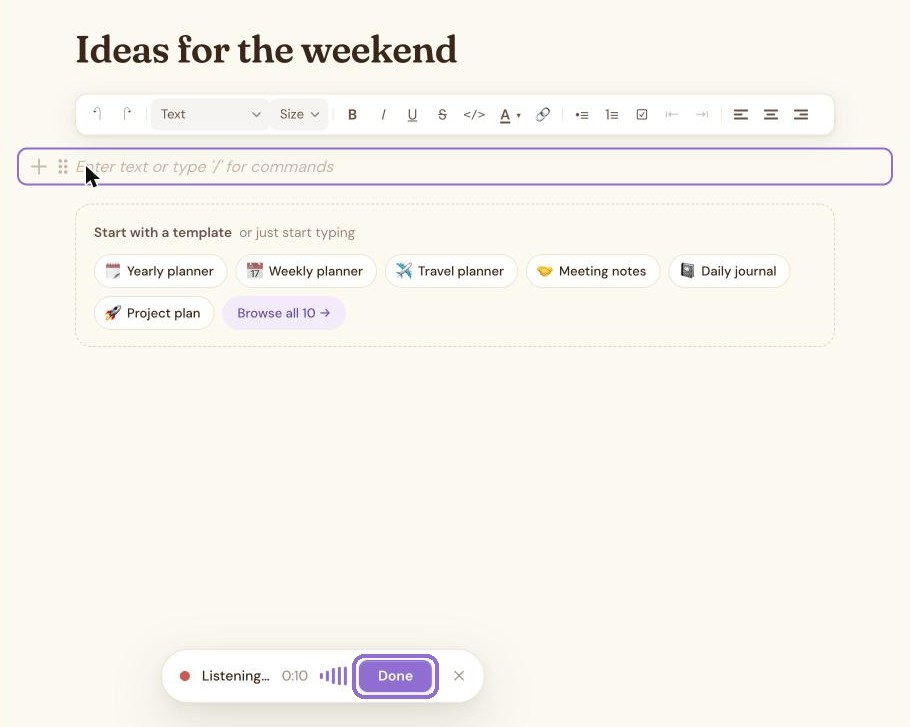
3. Press Done
Snugnote shows Writing it down… for a moment while it turns your speech into text.
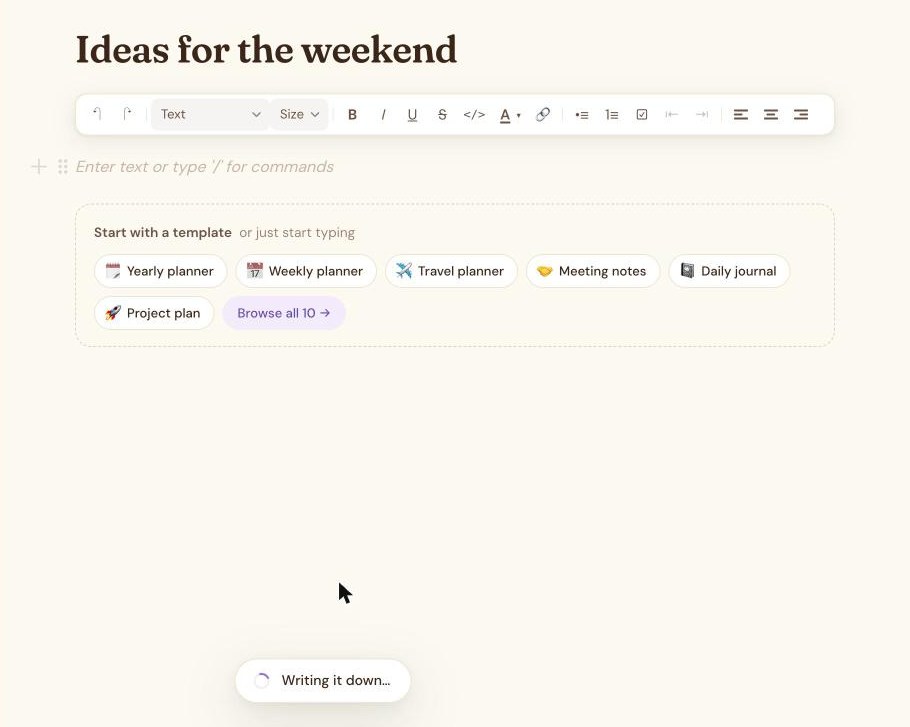
4. Your words appear in the page
What you said is written into the line you started on, and you'll see Voice note added. From there it's ordinary text: fix a word, turn it into a to-do, or keep talking on the next empty line.
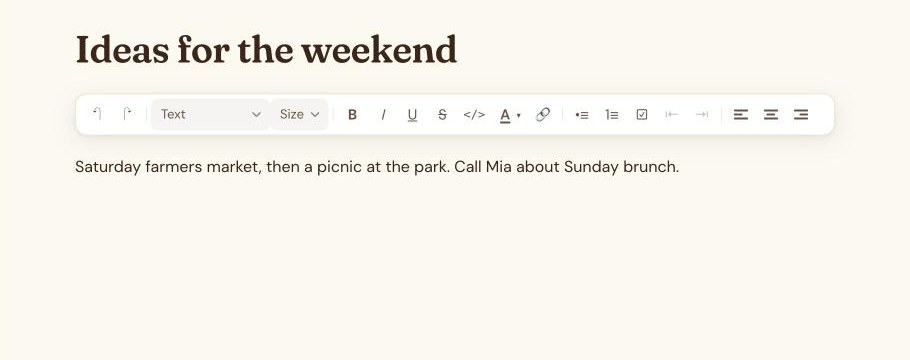
Private by design
Speech is turned into text on your own device, using an open speech model (Whisper) that runs in your browser. Your recording is never uploaded to Snugnote or anyone else. The only thing saved is the text, in your own Google Drive or Dropbox, like the rest of your page.
More new things: start any page from a template, and use your notes with Claude or ChatGPT.